01
What triggers it
You set a cart threshold — say, $50. Any shopper whose cart hits that value gets a personal spend target. You control the threshold. You control the reward. BuddyBoost handles the rest automatically.
They just need a number to chase.
BuddyBoost gives every shopper a live, personal spend target the moment they hit your cart threshold. They see exactly what to add. Most add it.
Free plan · No credit card · Live in 5 minutes
What BuddyBoost actually does
BuddyBoost is a cart upsell app. It doesn't send emails, run ads, or create bundles. It does one thing: it gives qualifying shoppers a personal spend target and a reward for hitting it.
01
You set a cart threshold — say, $50. Any shopper whose cart hits that value gets a personal spend target. You control the threshold. You control the reward. BuddyBoost handles the rest automatically.
02
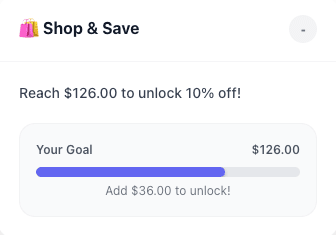
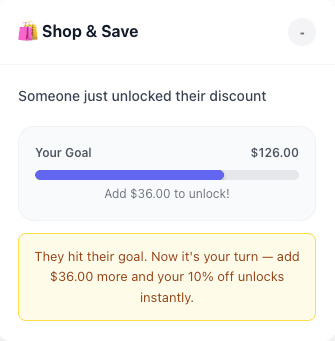
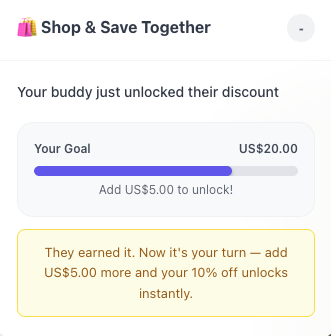
A popup appears showing their personal target — e.g. "Add $18 more to unlock 15% off." As they add items, the progress updates live. When they hit it, a discount code auto-applies at checkout.
03
Higher average order values. The discount code is single-use, session-locked, and non-transferable. It can't be shared, leaked to coupon sites, or used by anyone else.
How it works
No per-session configuration. You set the rules — BuddyBoost activates automatically for every qualifying shopper.
01
The moment a shopper's cart hits your minimum value, BuddyBoost activates silently. No interruption. A personal spend target begins.
Rule set
Cart threshold
Add $18 more to unlock 15% off.
The shopper sees a personal target only after they qualify.
02
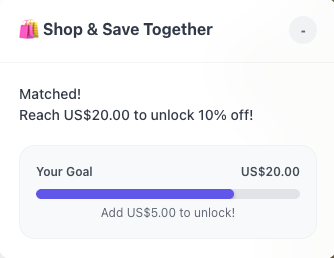
The shopper sees exactly how much more they need to add to earn a reward. Not a store-wide bar. A number built around their cart, right now, in this session.
03
As items are added, progress updates live. The target stays visible. The reward stays visible. Most shoppers who see a target reach it.
04
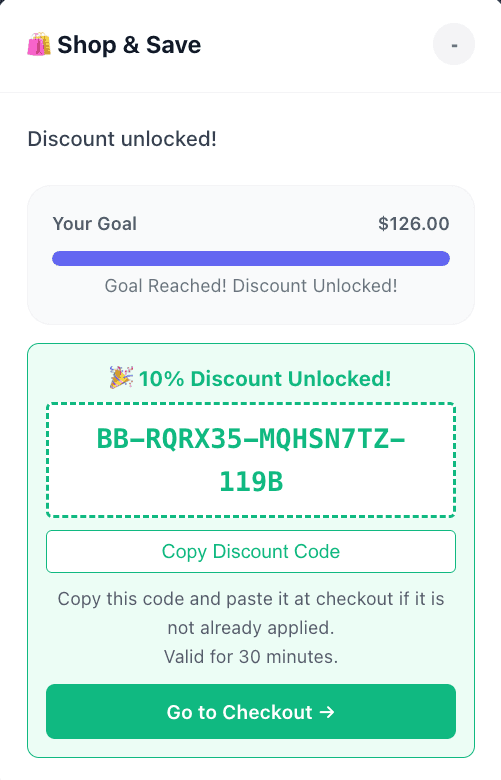
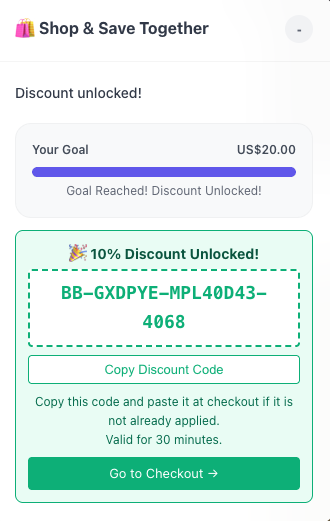
A session-locked discount code auto-applies at checkout. It's tied to that shopper, that session. Forwards, shares, coupon sites — none of it works.
Free plan · No credit card
Why BuddyBoost
The tools most merchants use create attention. BuddyBoost creates commitment.

"A free shipping bar is enough incentive"
A shipping bar shows a store goal. BuddyBoost shows a shopper their goal, calculated in real time from what's already in their cart.

"Discount codes motivate spending"
A code they found feels like a coupon. A code they unlocked by hitting a personal target feels like a win.

"Live social features need complex setup"
Optional activity signals keep shoppers engaged throughout their session. Single-shopper mode is always available when traffic is low.
"Upsell apps are hard to measure"
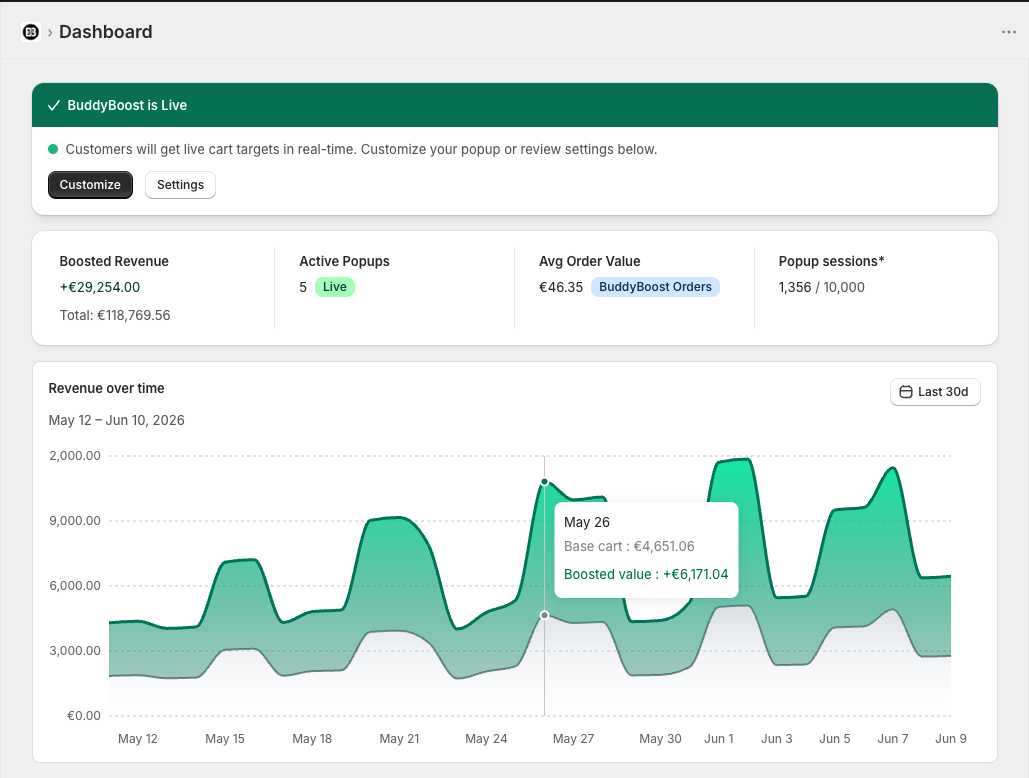
Your dashboard shows boosted revenue, active popups, average order value, popup sessions, and revenue over time — so you can see exactly how the app is performing.
The shift
Old tool
What happens
BuddyBoost
Old tool
Static shipping bars
What happens
Shoppers learn to ignore a store goal they didn't set.
BuddyBoost
Personal spend targets built around each shopper's session.
Old tool
Shared discount codes
What happens
Train shoppers to wait, and codes leak to coupon sites.
BuddyBoost
Session-locked rewards that auto-apply and can't be shared.
Old tool
Generic pop-ups
What happens
Interrupt everyone, converts few.
BuddyBoost
Activates only for shoppers already above your threshold.
Old tool
Manual developer setup
What happens
Breaks with theme updates, needs ongoing maintenance.
BuddyBoost
Shopify-native App Embed — works with any OS 2.0 theme.
Pricing
Start free. Scale when you're ready.
Start with live spend goals at no cost.
Up to 500 live spend goals
For stores scaling AOV with branded popups and more goals.
Up to 10,000 live spend goals
All plans billed in USD · Cancel anytime from your Shopify admin · Full pricing details →
Setup
Most AOV apps break when you update your theme. BuddyBoost uses App Embeds — Shopify's own architecture for update-safe, no-code integrations.
One click from the Shopify App Store. Permissions are requested and the app connects to your store. No developer involved.
Navigate to your theme editor, flip the BuddyBoost embed toggle to on. That's the entire theme integration.
Choose your cart threshold, set your reward percentage, and save. BuddyBoost is now live for every qualifying cart.
Growth report included
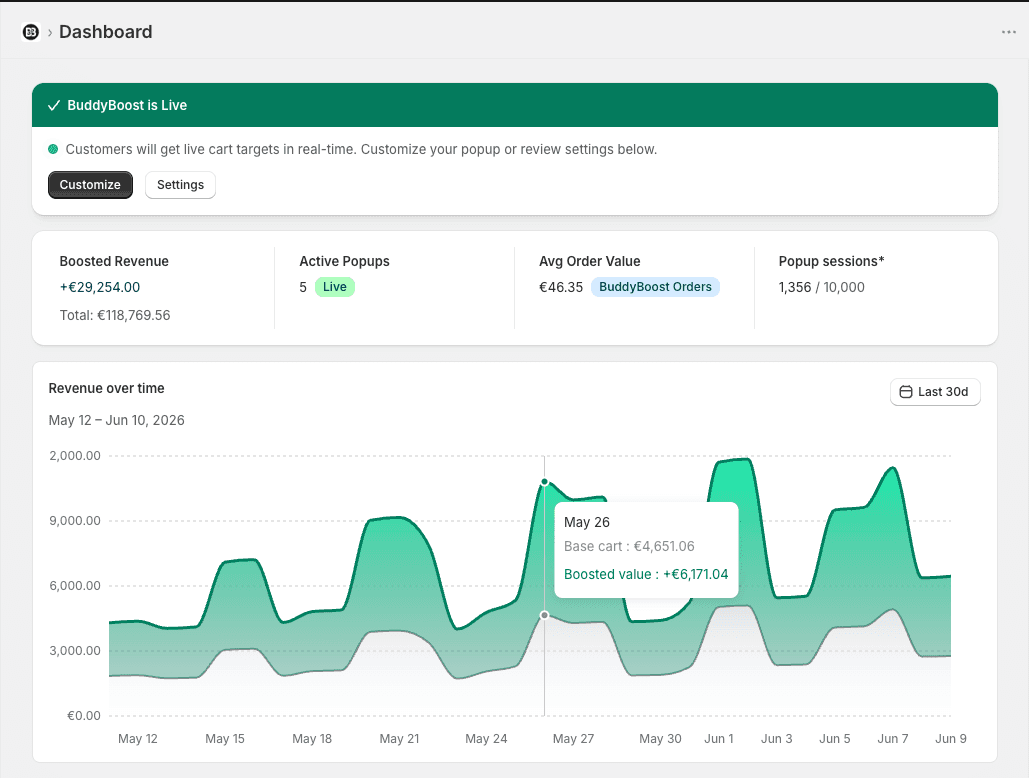
Merchants can track boosted revenue, active popups, average order value, popup sessions, and revenue trends from the dashboard.
Free plan · Takes 5 minutes
Common questions
Can't find what you're looking for? Chat to our team.
A session is counted when a unique shopper's cart crosses your threshold value and they're shown a personal spend target. You're billed per session, never per order and never as a percentage of revenue.
A popup appears showing their personal target — for example, "Add $18 more to unlock 15% off." As they add items, the progress bar updates live. When they hit the target, the discount code is revealed and auto-applies when they reach checkout.
No. Every code is session-locked using Shopify's Checkout Extensibility. If a shopper shares their code, our Checkout Extension detects the session mismatch and removes the code from the other person's cart automatically.
A shipping bar shows a store-level goal that every shopper sees identically. BuddyBoost shows each shopper a target calculated from their specific cart — so a shopper with $47 in their cart sees a different target than one with $83. Personal feels different than generic.
You're billed based on qualifying sessions (carts that hit your threshold). We charge per session on a monthly cycle. No revenue share. No percentage of sales. Cancel anytime from your Shopify admin.
Get started free
Free plan. No credit card. Live in 5 minutes.
Shopify-native · No theme code · Cancel anytime